
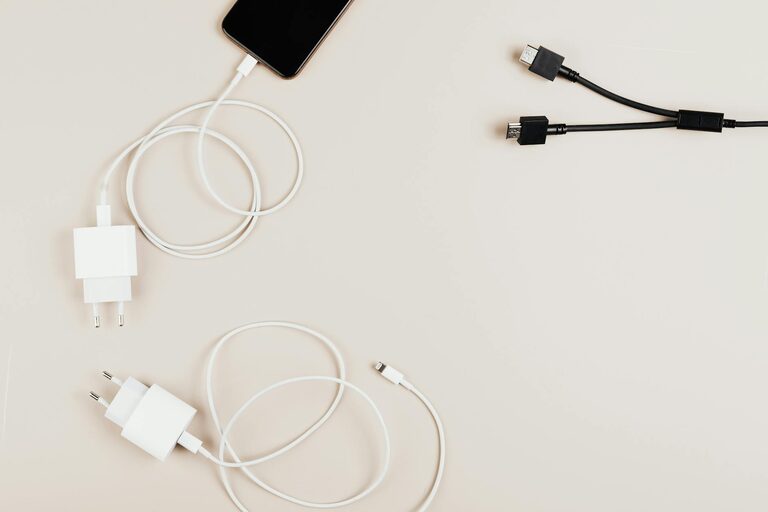
How to Set Up a Charging Station for Devices at Home
Setting up a dedicated charging station for your devices can make your daily routine smoother and help keep your space neat. Whether you have smartphones, tablets, smartwatches, or other gadgets, having one spot for charging reduces clutter and ensures your devices are always ready to use. In this post, we’ll walk you through everything you need to know to create an efficient and stylish charging station at home.
Why Create a Charging Station?
As our reliance on electronic devices grows, so does the number of chargers and cables cluttering our homes. A central charging station can:
– Prevent lost or tangled cords
– Minimize clutter on countertops and desks
– Save time by keeping devices in one place
– Protect devices from accidental damage
– Help manage power consumption efficiently
What You’ll Need to Set Up Your Charging Station
Before starting, gather a few supplies. Here’s what can help:
– Power strip or surge protector: To connect multiple devices at once safely.
– Charging cables: Make sure you have enough cables compatible with your gadgets.
– Docking stands or charging pads: Optional but useful for organizing devices while charging.
– Cable organizers or clips: To keep cords neat and untangled.
– A small box, basket, or drawer organizer: To hold accessories and prevent mess.
– Labeling materials: To easily identify cables or device spots if you want.
– A sturdy table, shelf, or countertop: A dedicated flat surface to create the station.
Step-by-Step Guide to Setting Up
1. Choose the Right Location
Pick a convenient spot that is close to electrical outlets and frequently used. Popular places include:
– Living room side tables
– Kitchen counters
– Home office desks
– Entryway consoles
Make sure it’s an area that won’t get wet or be in the way of foot traffic.
2. Organize Your Devices and Cables
Collect all devices you want to charge regularly. Identify what type of chargers they use—USB-C, Lightning, Micro-USB, or wireless charging.
3. Set Up Your Power Source
Plug a surge protector or power strip into the outlet. This will allow multiple devices to charge at once and protect against power spikes.
If possible, opt for a power strip with USB ports built in, reducing the number of bulky adapters.
4. Arrange Charging Cables and Docks
Attach cable clips or organizers to the edge of your chosen surface or inside a small container. This keeps cables from falling off and makes it easier to plug devices in.
Using docking stands or multi-device charging hubs helps keep devices upright and neat. If you prefer, wireless charging pads simplify cable use but require compatible devices.
5. Label or Designate Spots (Optional)
If multiple family members use the station, label chargers or designate spots for each person’s devices. This helps avoid confusion and misplacing cables.
6. Add Storage for Accessories
Use a small container or basket to keep extra cables, earbuds, or power banks. This keeps everything related to device charging together and reduces clutter.
Tips for Keeping Your Charging Station Organized
– Regularly untangle and check cables for frays or damage.
– Avoid overloading the power strip—unplug devices not in use.
– Keep the area clean and dust-free.
– Store seldom-used chargers elsewhere to reduce clutter.
– Consider a charging station furniture piece if you want a sleek look.
Creative Ideas for Charging Stations
– Upcycled wooden box: Drill holes to run cables through and keep everything contained.
– Wall-mounted station: Save surface space by mounting shelves with charging ports.
– Drawer charging station: Convert a drawer into a hidden charging area with cable holes.
– Decorative basket or tray: Use a stylish container to blend charging with your home decor.
Final Thoughts
Creating a charging station is a simple project that can save time and reduce clutter. By choosing the right location, organizing cords, and using helpful accessories, your electronic devices will always have a designated spot to power up. Start small, and tailor your station to fit your needs and style—the result will be a more organized and efficient home tech setup.
Happy charging!
